
SING&SEE Displays
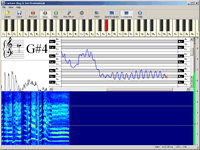
SING&SEE has a variety of displays which show aspects of the singing voice. The displays are presented in different groupings, depending on the configuration of the software. For instance, the Student Version has only the pitch related displays, while the Professional Verion has a wider range of display options including spectrographic analysis.
Pitch trace
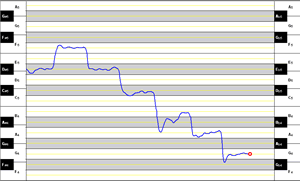
In this display, the sung pitch is displayed as a continuously moving line on an expanded representation of the piano keyboard.
This allows you to see how your pitch changes from note to note - and reveals any lack of control or support over those notes.
Piano keyboard
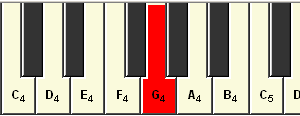
In this display, the sung pitch is shown on the piano keyboard, by highlighting it in red.
This lets you see at a glance what note you are singing, in a clearly understandable format.
The keyboard can also be played, to provide the student with prompts of what to sing.
Stave view
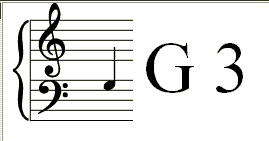
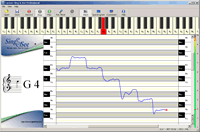
In this display, the sung pitch is displayed directly on the musical stave. The note is also shown as an aid for the beginning student.
Spectrogram Display
(Professional version only)
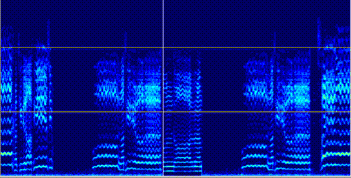
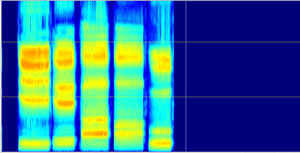
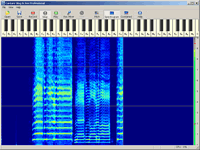
Good clear Italian vowels /i/ /e/ /a/ /o/ and /u/
In this display, the harmonics of the sound are shown on a colour spectrogram. The brightness of each harmonic represents its strength.
Using this display you can see the tonal balance of your singing, and how that changes with different vowels and across you range.
The display lets you see the "singer's formant" (between the horizontal lines at 2kHz and 4kHz) that appears with more "twang" or supported projection.
The spectrogram display can be switched between "narrow-band" and "wide-band". The wide-band display lets you see the structure of the vowels
Real-time spectrum
(Professional version only)
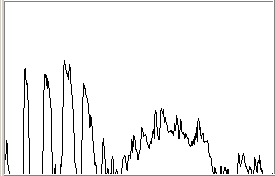
This display shows the spectrum of the sound as it is sung. The height of the lines is the strength of each harmonic in the voice.
This display shows you the tonal balance of your voice as you sing (it is in fact the leading edge of the spectrogram). You get an immediate visual response to changes in how you are singing.
The singer's formant appears as a growing peak on the right hand half of the spectrum.
Level Meter

In this display, the loudness of the sound is shown by the height of the green bar. This helps you in maintaining a balanced tone across your range.
The Manual
How to Sing and See - Singing Pedagogy in the Digital Era
An invaluable guide to using visual feedback technology in the singing studio. Bridges the gap between software and the singing teacher. A graded development program covering both vocal and musical tasks.
If you're a singing teacher click here to read about using SING&SEE in teaching
Or if you're a singer, click here to read about using SING&SEE to train your voice